Mega64 Pro Emulator
App Information
Screenshots
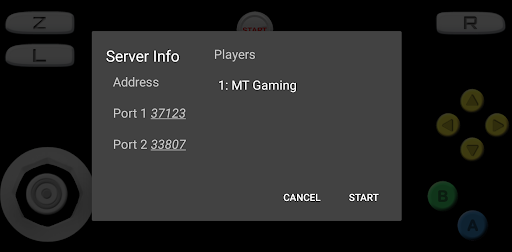
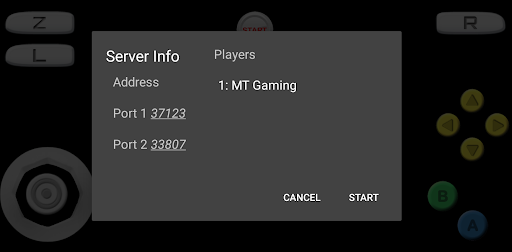
About This App
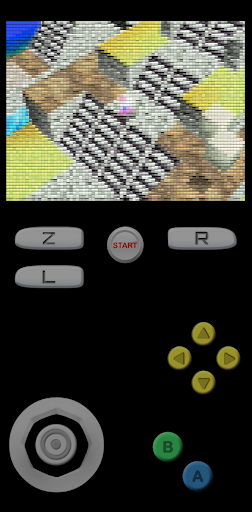
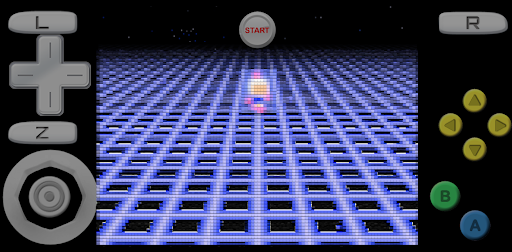
Mega64 Pro Emulator – is a Nintendo 64 emulator app for Android Users, that was created and Developed by MT Gaming team. This N64 emulator lets you to play all popular Nintendo 64 console games like Super Mario 64, Mario Kart 64, The Legend of Zelda Ocarina of Time, Pokemon Stadium, GoldenEye 007, Super Smash Bros and more classic games on your Android Device with high speed emulation.
The emulator supports all Android versions from 5.0 and above, And it works perfectly on latest Android 15 devices. Mega64 Pro emulates almost all N64 games with rich graphics and smooth gameplay. However, The game performance depends on your Device model and Android version. If you are using latest model phones, you will get amazing gaming experience with high frame rates.
This emulator app requires ROM files to play games, because Mega64 Pro Emulator comes without any games included. So you need to Add your own game ROM files to emulator from SD card or Internal memory. In case you own any N64 game ROMs, just copy them into your Android storage and load them through emulator app.
Mega64 Pro Emulator Features
Supports Android 5.0+ and suitable for Android 15+.
Save state and Load state support.
Auto save feature included.
Auto Screen orientation for better gameplay.
All game Controls available like Analog, D pad, L+R+Z Buttons.
Customize and Resize Control Buttons easily.
Edit Control Buttons from profiles settings.
High-speed N64 game emulation.
Rich graphics with stereo sound.
External game Controller support.
Play Super Mario 64, Zelda and more games for free.
Supports .zip and other ROM file formats.
Fix graphical glitches with video plugin options.
Adjust rendered resolution for better performance.
Clean interface and Perform very fast.
No ads included in Pro version.
Download & Install Mega64 Pro Emulator APK for Android
Mega64 Pro is a paid Nintendo 64 emulator available on Google Play Store for $2.99. This N64 emulator app offers tons of features like customizable controls, Save states, Auto save and more advanced options. These cool features brings wondrous gaming experience on your Android Device and you can enjoy limitless fun playing your childhood N64 games.
Currently, This emulator app is available on Official Google Play store, so you can download it directly from Play store. The app is completely safe to use and doesn’t bring any malware or virus on your Android phone or tablet. Mega64 Pro Emulator is rated 4.8 stars with positive reviews from users worldwide.
Step.1) First of all, Open the Google Play Store app on your Android Device.
Step.2) On the Next, Search for “Mega64 Pro Emulator” in the search bar at top.
Step.3) Now Tap on the Mega64 Pro Emulator app from search results developed by MT Gaming.
Step.4) After that, Click on the Buy button and complete payment of $2.99 through your payment method.
Step.5) Once payment is done, Tap on the Install button and wait for download to complete.
Step.6) Go back to your Android home screen and Launch the N64 Emulator app from app drawer.
Step.7) Finally, Add your Nintendo 64 game ROMs and start playing your favorite classic games on Android device for free.
How to import your N64 Game on Mega64 Pro Emulator
Step.1) Download your favorite N64 game ROM files from trusted websites on your Android phone.
Step.2) Now Copy those ROM files to SD card or Internal Memory like /sdcard/ROM/ folder.
Step.3) Launch the Mega64 Pro Emulator app on your Device.
Step.4) Tap on Refresh button to scan for new game files.
Step.5) Select your game from the list and Tap on it to start playing.
Step.6) Use touchscreen controls or connect external game controller for better gaming experience.
Fix Lag and Graphical Issues in Mega64 Pro
In case you are facing lag or graphical problems while playing games, then follow these simple steps to fix them:
To fix graphical glitches, Go to Profiles >>> Select Profiles >>> Emulation profile and try changing the video plugin.
To fix lag issues, Navigate to Settings >>> Display >>> Rendered resolution and change the video settings to lower resolution.
For unplayable ROMs, try unzipping the ROM file first or download different version of the ROM.
For touchscreen control issues, Go to Settings >>> Touchscreen >>> Button scale and adjust the button size.
Frequently Asked Questions
Q: Is Mega64 Pro Emulator free?
A: No, Mega64 Pro is a paid app available for $2.99 on Google Play Store.
Q: What games can I play on Mega64 Pro?
A: You can play all Nintendo 64 games like Super Mario 64, Zelda Ocarina of Time, Pokemon Stadium, Mario Kart 64 and more.
Q: Do I need ROM files?
A: Yes, you need to add your own N64 ROM files to play games on this emulator.
Q: Does it work on latest Android versions?
A: Yes, Mega64 Pro supports Android 5.0 and above including latest Android 15.
Thank’s for visiting GBA Emulators iOS
Mega64 Pro Emulator APK Download
| Type | Size | Action |
|---|---|---|
| APK | 12MB | Download v4.4.2 |