Super3DS Pro Multi Emulator
App Information
Screenshots

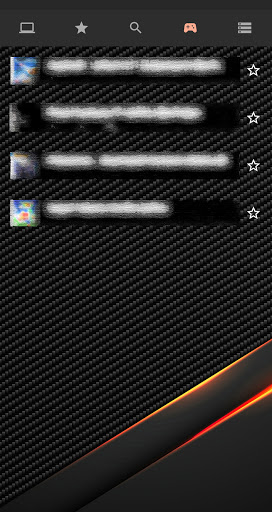
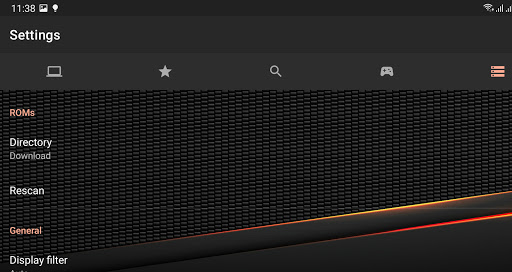
About This App
Super3DS Pro Multi Emulator APK – is created for gamers like yourself who enjoy console games on Android but dislike losing progress or coping with restricted settings. This robust emulator app emphasizes performance, adaptable controls and reliable save options so you can play your favorite games anytime anywhere, on your device.
What is Super3DS Pro Multi Emulator
Super3DS Pro Multi Emulator APK is an Advanced version of the Super3DS Multi Emulator for Android and it enables you to play classic gaming consoles right on your device. You can open game files from your device storage or memory card. Begin gaming instantly without any complex configuration. It is compatible, with Android versions and designed for dedicated mobile gamers seeking both efficiency and ease of use.
Since this emulator processes game files and save data it functions more like a game manager rather than merely a basic application. It interacts with directories, backup files and personalized settings making correct setup, on your phone essential.
Why File Access Permission is Important
For Super3DS Pro Multi Emulator to operate correctly it requires access, to your devices storage. You need to grant the “all files access” permission; without it the app will not work properly. This access is necessary since your game ROMs, BIOS files and save data are typically kept outside the app’s designated folder.
Main Features of Super3DS Pro
Super3DS Pro Multi Emulator includes features that enhance your experience and provide greater flexibility when playing classic games, on Android.
- Support for Android 8.0 and above, also suitable for latest Android 15+ devices.
- Save state and load state system to freeze your game at any moment and resume later.
- Quick Save and Quick Load buttons for fast safety backups during hard battles or tricky levels.
- Adjustable control keys, featuring capabilities to modify, reposition and change the size of, on-screen buttons.
- Customizable auto-save intervals allowing the app to automatically preserve your progress periodically.
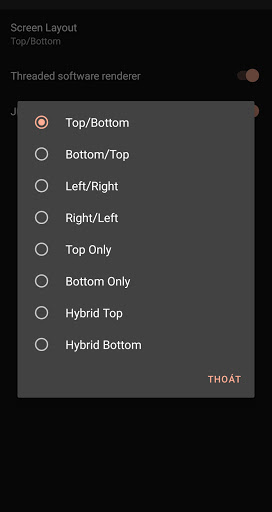
- Multiple screen filters like HQ2x, Scanline, Bilinear, Nearest 2X, HQ4X and more to improve visual quality.
These functionalities provide you with command over your gameplay. You’re able to transform games into enjoyable practice by saving prior, to tough parts and reloading repeatedly until you succeed.
Save States, Quick Save, and Auto Save
A major advantage of Super3DS Pro is its saving feature. Standard games typically permit saving at designated spots but this emulator lets you generate save states virtually anywhere. Using state records the precise instant, in your gameplay and load state returns you to that exact point.
Quick Save and Quick Load serve as shortcuts for this feature. With a tap you can save your progress just prior, to a boss battle or puzzle. If an error occurs Quick Load brings you back immediately. Auto save frequency provides protection by automatically saving after a set interval or event which is useful if your device runs out of power or the app shuts down unexpectedly.
Custom Controls and Screen Filters
If the button arrangement is fixed touchscreen controls may seem clumsy on compact phones or tablets. Super3DS Pro addresses this, by allowing customization of button placement and dimensions. You have the option to reposition the D-pad action buttons and function keys to locations that suit your hand’s comfort and adjust their size to prevent touches.
Screen filters are another strong point. Older games were made for different displays, so they may look pixelated on modern screens. With filters like HQ2x or HQ4X, you can smooth edges and make graphics look cleaner. Scanline mode gives retro TV feeling, while Bilinear and Nearest 2X change how sharp or soft the image looks. You can experiment until your favourite game looks perfect for your taste.
Super3DS Pro Multi Emulator APK Download
| Type | Size | Action |
|---|---|---|
| APK | 22 MB | Download v3.4-DS-Pro |